
Skip to content

Everything about your fields. All in one place.

Log what happens in the field, keep a clear history and easily compare yields from one season to the next.

Download on the App StoreGet it on Google Play
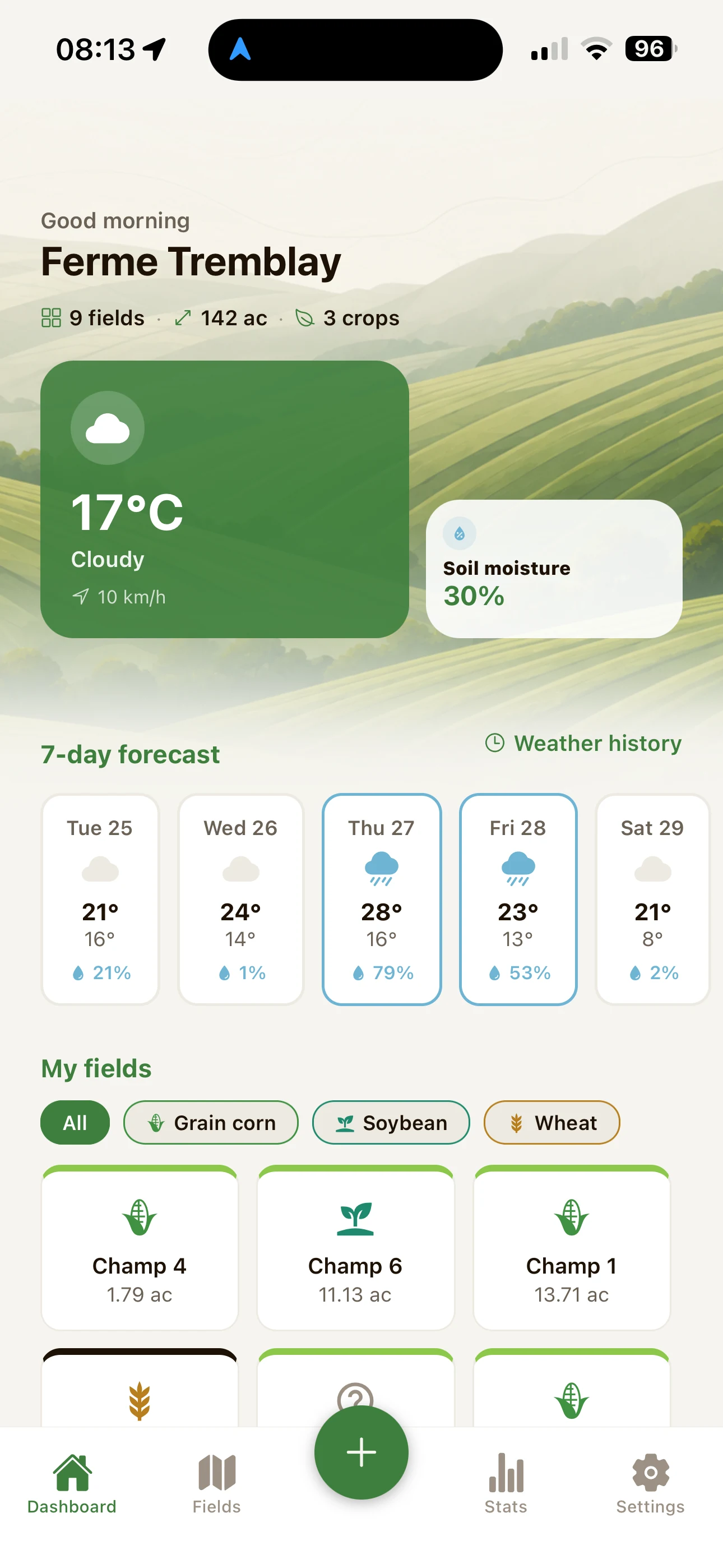
FarmTrack dashboard: today's weather, 7-day forecast and field list.
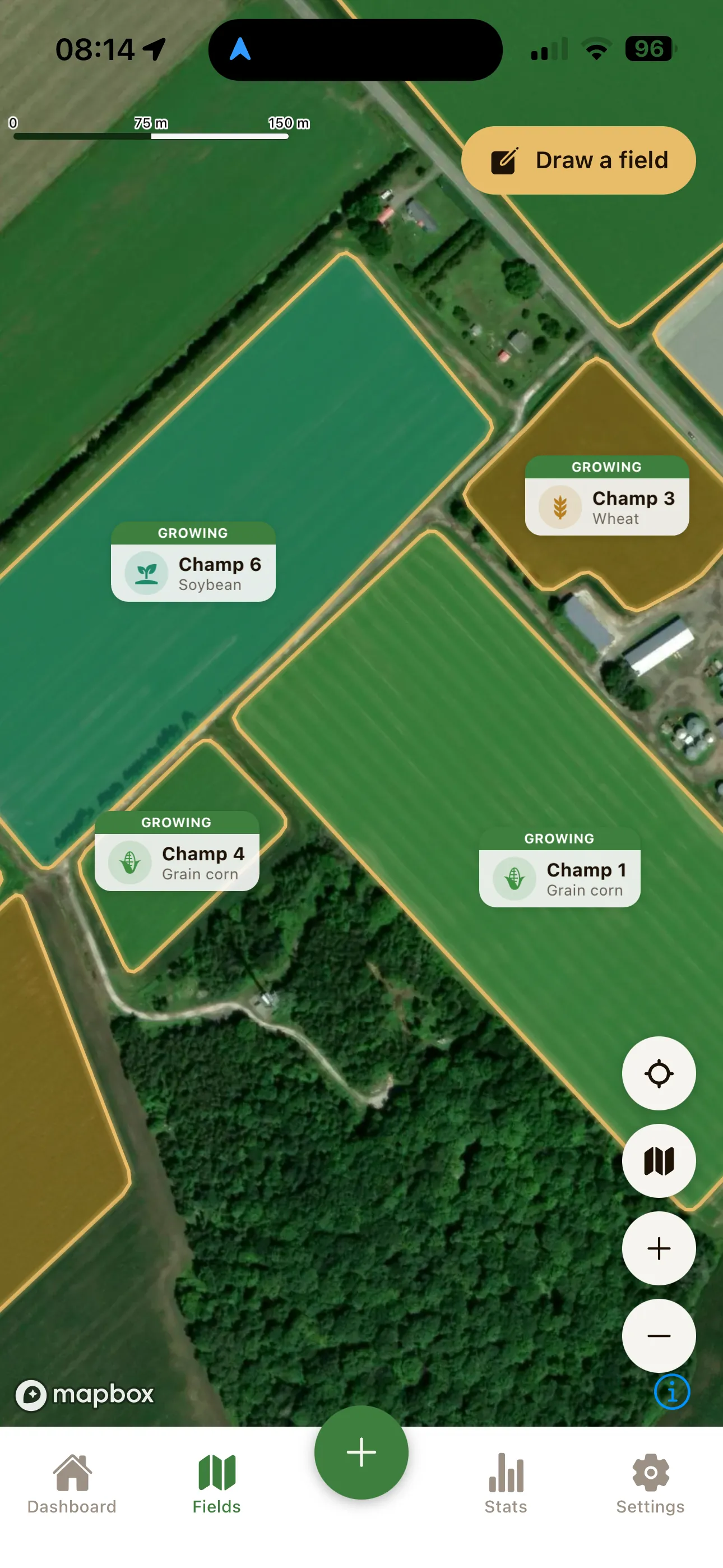
FarmTrack map: the farm fields drawn and coloured by crop.

The full history of every field.

Sowing, fertilizer, treatments, irrigation, field work or harvests: log activities as you go and FarmTrack keeps everything organized for you.

Already have your data somewhere else? Import fields and operations directly from major farm platforms.

John Deere Operations Center ConnectedCase IH FieldOpsNew Holland FieldOps

Compatible with John Deere Operations Center and FieldOps™ by New Holland and Case IH.

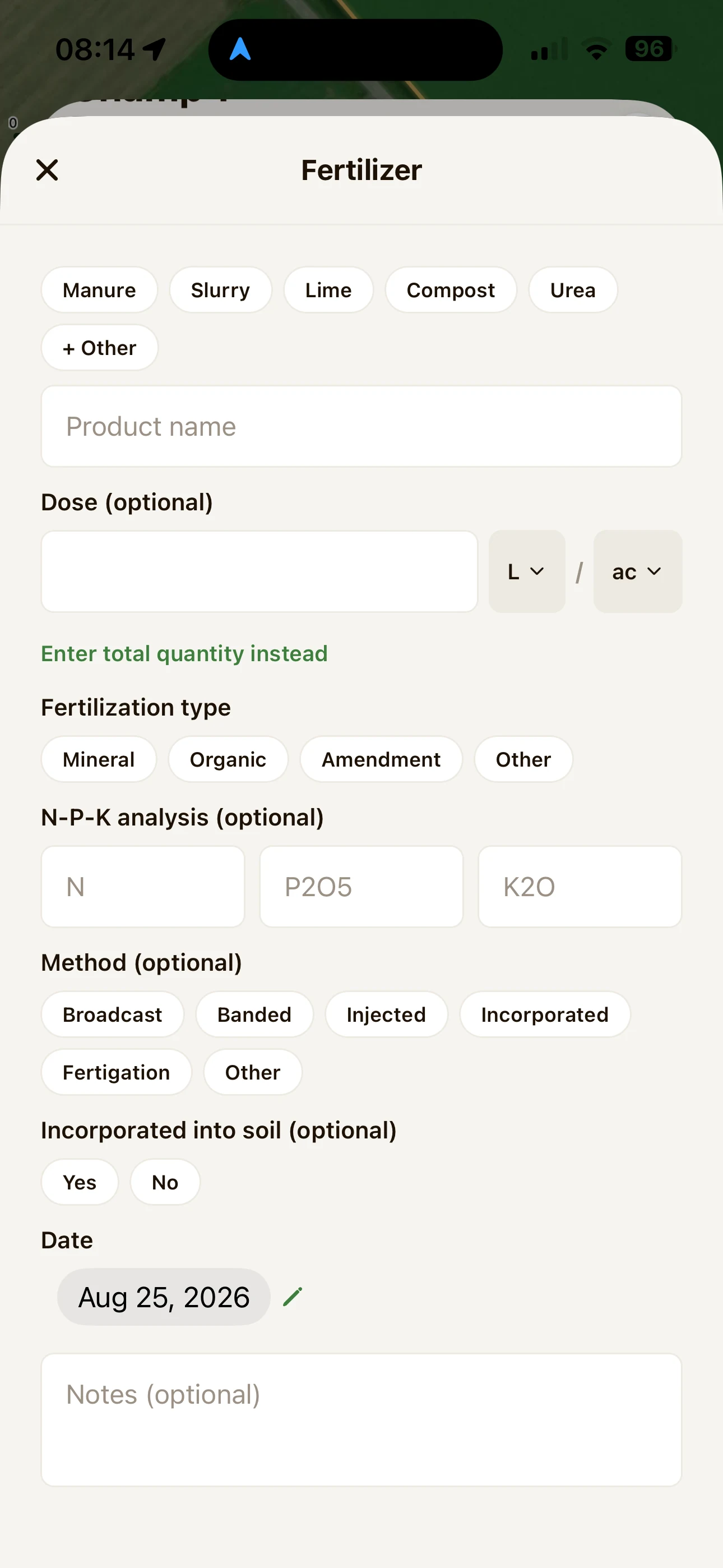
Adding a fertilizer application in FarmTrack.
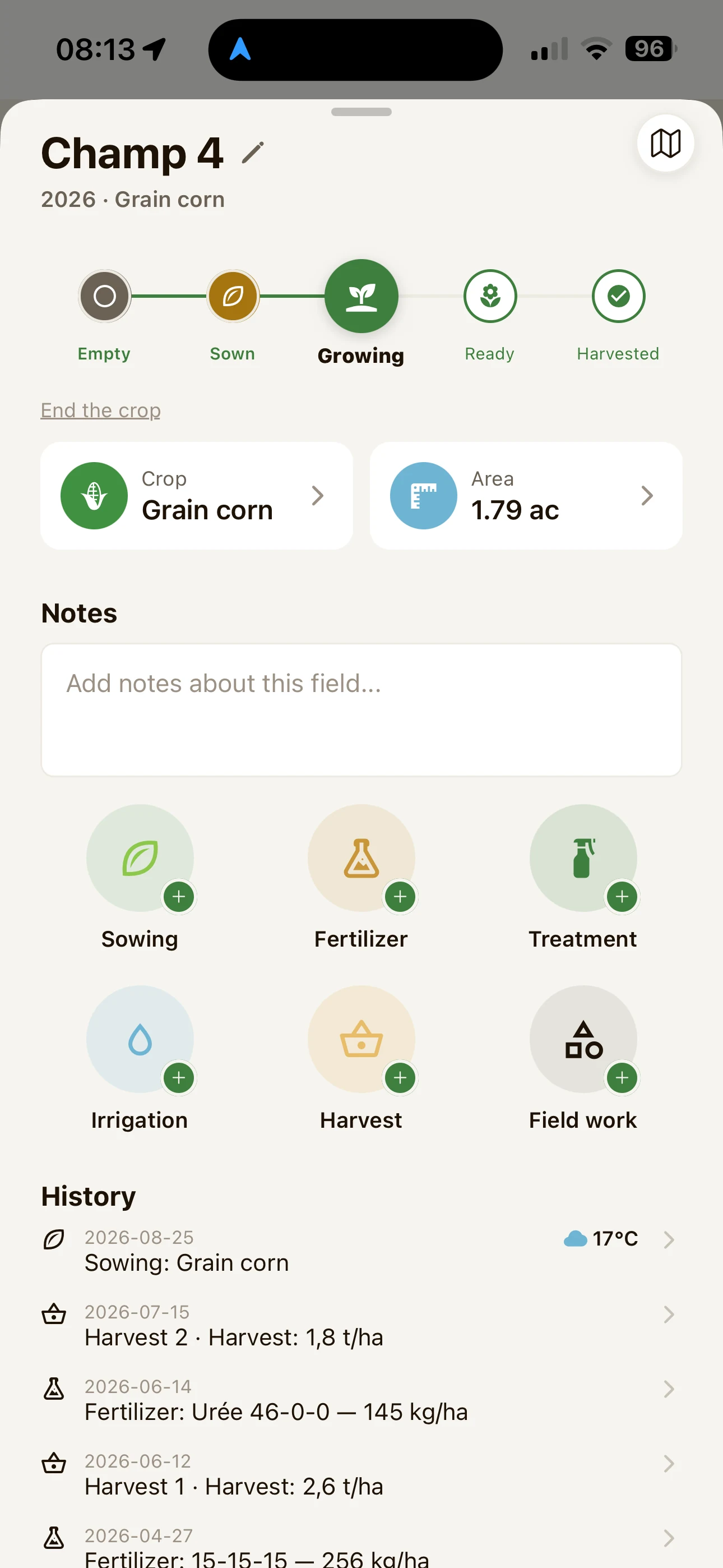
A FarmTrack field page with the season's activity history.

Compare your seasons. See what makes a difference.

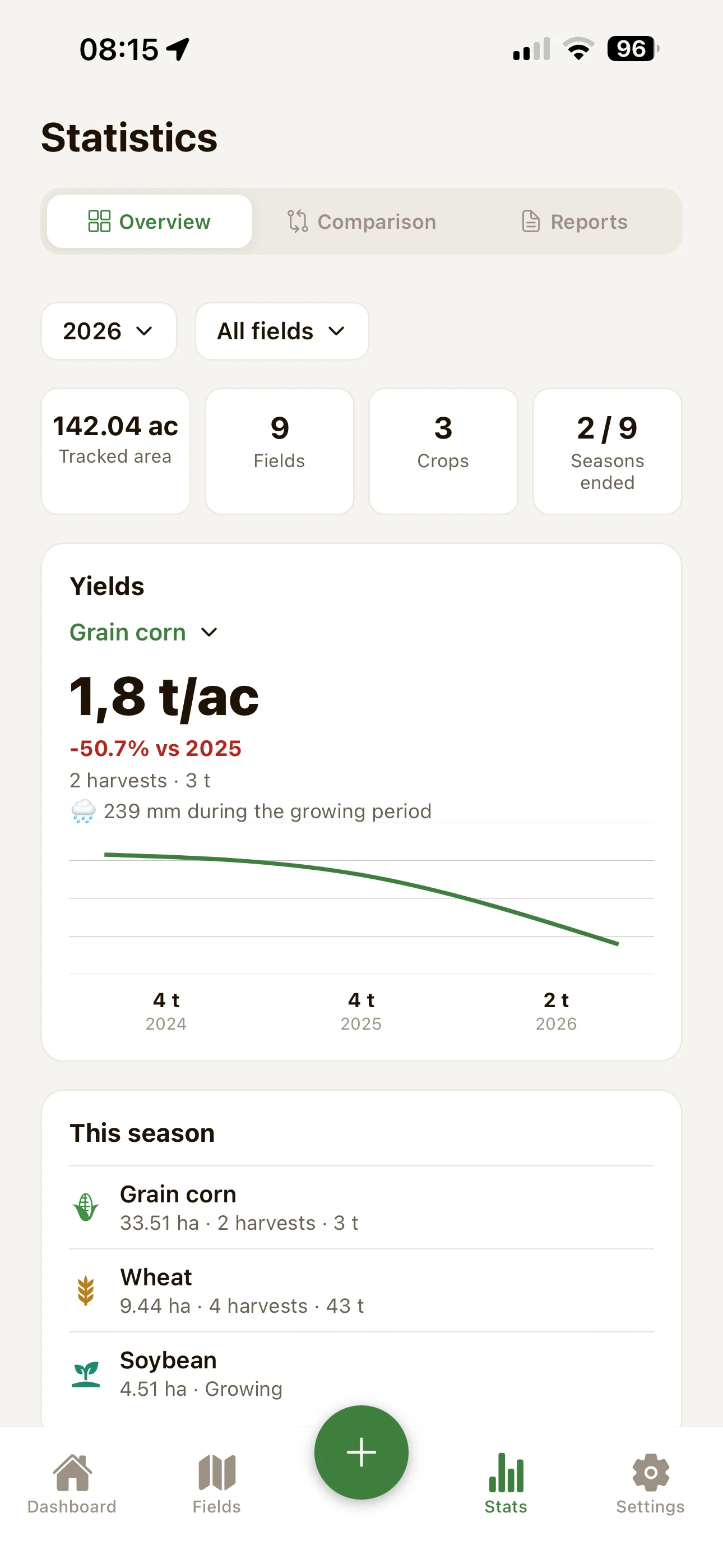
Compare field and crop yields from year to year, with each season's weather alongside them to give your numbers some context.

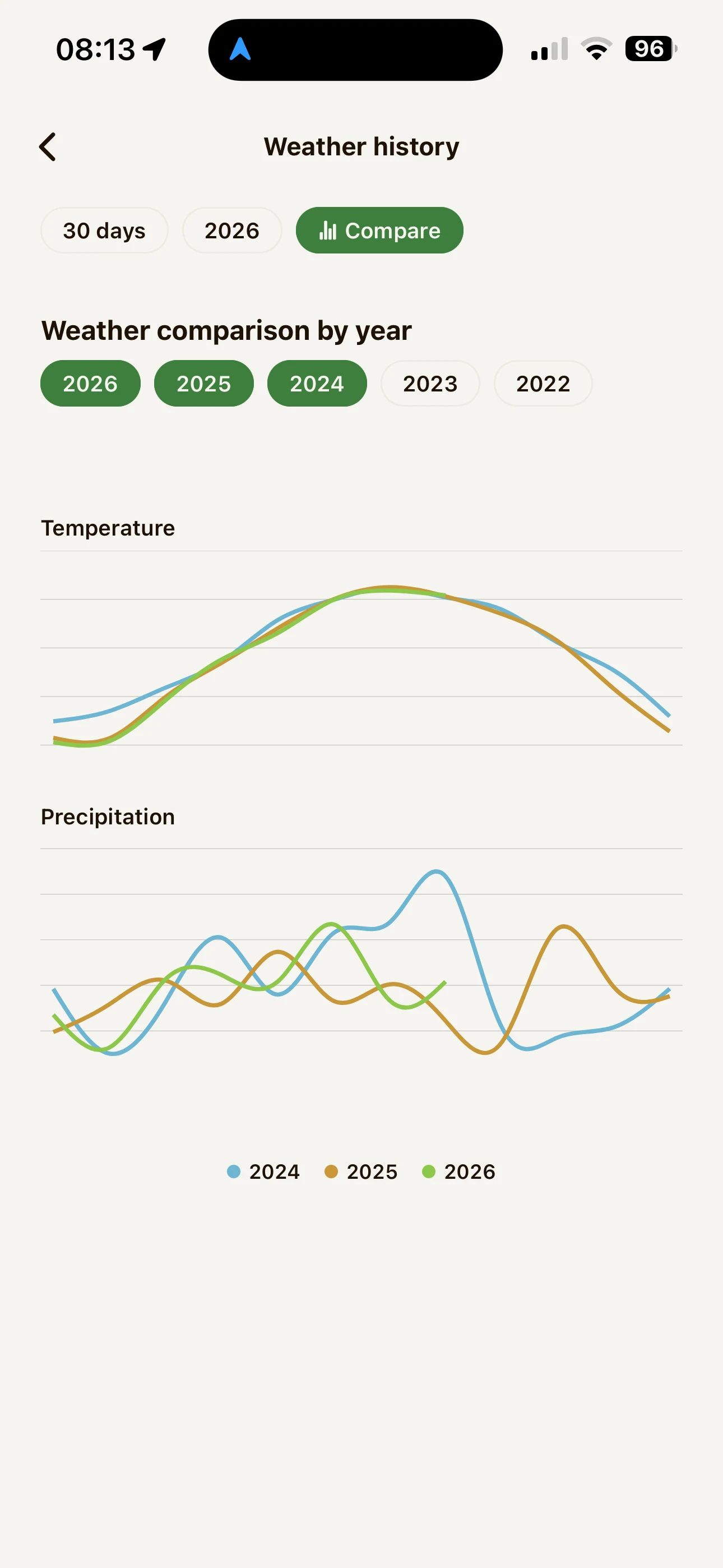
FarmTrack weather screen: current conditions, forecast and precipitation.
FarmTrack statistics: yields by crop and season-to-season comparison.

From the field to the report.

  1. 11.13 ac
    01

    Draw your fields on the map.

    Simply trace their outline. FarmTrack calculates the area automatically.

  2. SowingSoybean · 409,830 seeds/haFertilizer0-20-20 · 100 kg/haHarvest1.8 t/ac
    02

    Log what you do during the season.

    Sowing, fertilizer, treatments, irrigation, field work or harvests: it only takes a few seconds to keep your records up to date.

  3. 202420252026Season report
    03

    Find everything when you need it.

    Review yields, compare seasons and generate reports without entering the same information twice.

Your report is already almost done.

Everything you log during the season is automatically added to your field history. When it is time to create a report, simply choose the year and fields you want to include.

FarmTrack automatically organizes

  • fields
  • crops
  • sowing
  • fertilizer applications
  • treatments
  • yields
  • season weather
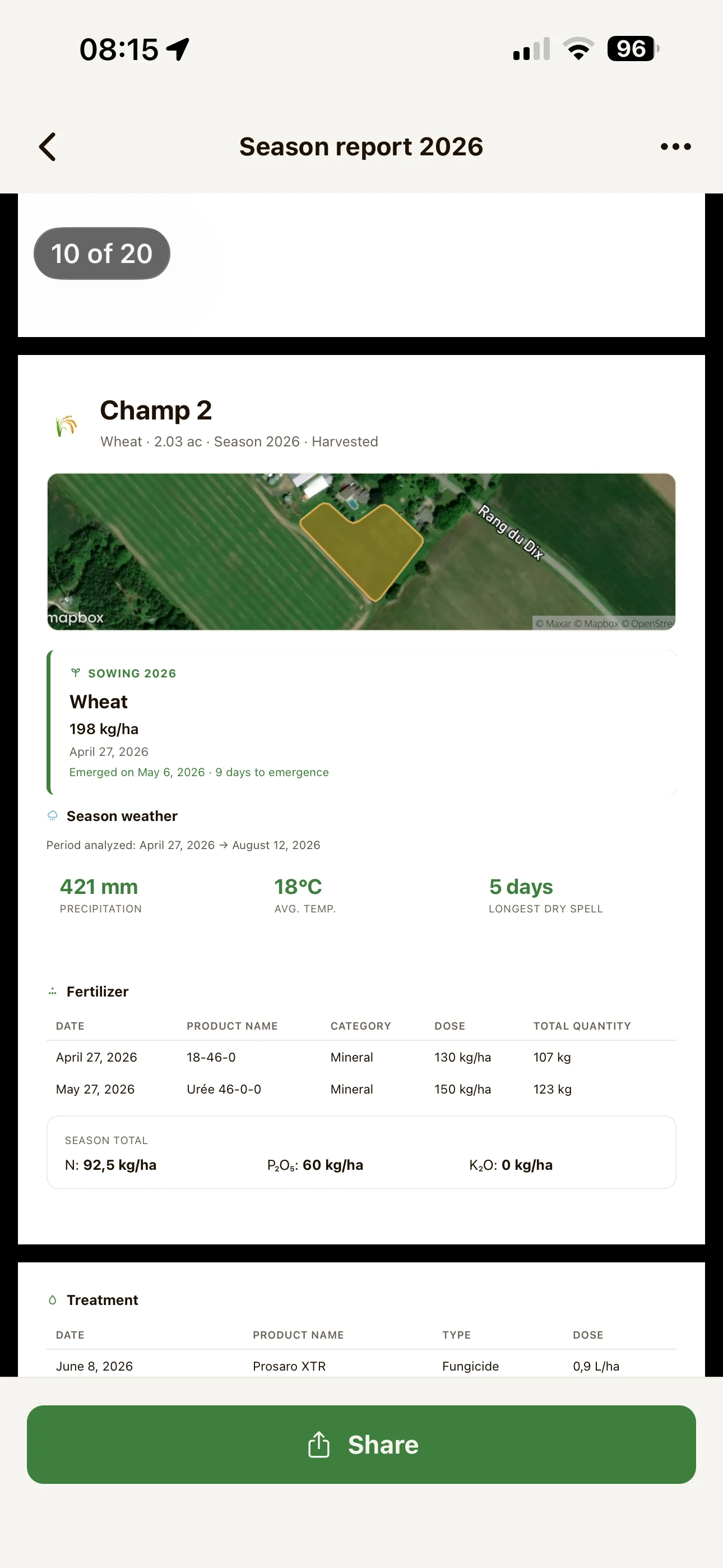
Preview of a FarmTrack season report: field map, sowing, weather, fertilizer and treatments.
Ready inA few seconds
fields
9fields
acres
142acres
report
1report

All your fields, at a glance.

See all your fields on the map and quickly know what is growing, what is ready and what has already been harvested.

  • Growing
  • Ready
  • Harvested
FarmTrack map: the farm fields drawn and coloured by crop.

The numbers matter. So does the weather.

Keep each season's weather alongside your field records to better understand your yields and make more meaningful year-to-year comparisons.

Current weather
Live conditions at the farm.
Forecast
The days ahead to help plan your next field work.
Precipitation
Rainfall recorded throughout the season.
Weather history
Past season weather kept alongside your records.
Soil moisture
Available when soil moisture data is supported in your area.
FarmTrack weather screen: current conditions, forecast and precipitation.

Built for real work in the field.

Works offline

No signal in the field? No problem. Keep working and FarmTrack will sync your data when you are back online.
Work as a team

Invite the people you work with so everyone has access to the same farm information.

Your units

Acres, hectares, kg, lb, litres or gallons: keep using the units you already work with.

English & Français

FarmTrack is available in English and French.

Questions we get a lot.

Does FarmTrack work with no signal in the field?

Yes. You can keep logging activities without a connection. They stay saved on your phone and sync automatically when you are back online.

What devices can I use FarmTrack on?

FarmTrack works on iPhone and Android and can be downloaded from the App Store or Google Play.

How much does it cost?

You can download FarmTrack for free and start tracking your fields at no cost.

What units can I use?

Choose hectares, acres or arpents for area, kg or lb for weight, and litres, US gallons or imperial gallons for volume. Your preferences are used throughout the app and in your reports.

There are several of us on the farm. Does it work?

Yes. You can invite other people to join your farm so everyone works from the same fields and records.

What goes into a report?

Your fields, crops, season activities, yields and relevant weather information. Choose the year, fields and information you want to include, and FarmTrack takes care of the layout.

How do I create my first field?

Simply trace its outline on the map, point by point. FarmTrack calculates the area automatically and guides you through your first field.

Can I try it without committing?

Yes. Install FarmTrack, add your first field and log a few activities. You will quickly see whether it fits the way you work.

What about my data?

Your data stays yours. You can delete your account directly from the app, permanently removing your farm, fields and activity history.

FarmTrack

Your fields. Your seasons. Your data.

One place to track what happens in the field, compare yields and keep clear records from one season to the next.

Download on the App StoreGet it on Google Play